Skip to content

The Panel, Top to Bottom

Press N in the 3D Viewport and pick the QuadGuide tab.
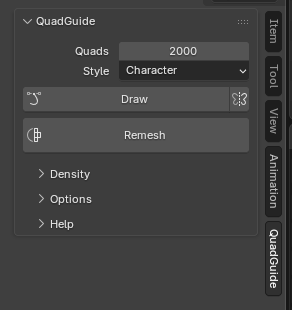
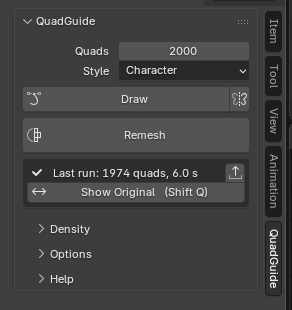
The main section: Quads, Style, Draw with the mirror icon, and Remesh
Remesh: quad count, style, Draw
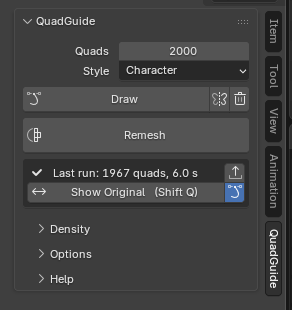
The result card after a remesh
The result: show original, keep or discard
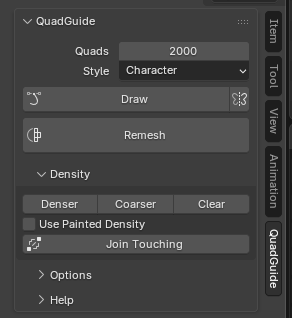
The Density section
Density: paint smaller or larger quads
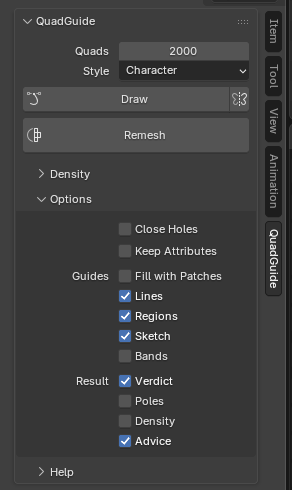
The Options section
Options: holes, attributes, overlays
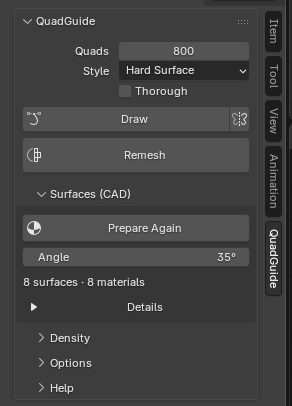
The Surfaces (CAD) section after Prepare CAD Part
Surfaces (CAD): technical parts
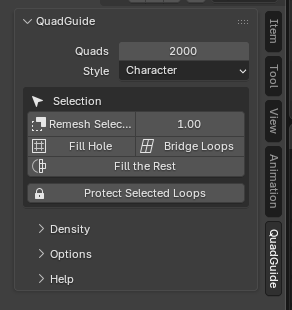
The panel in Edit Mode
Edit Mode tools: work on a selection
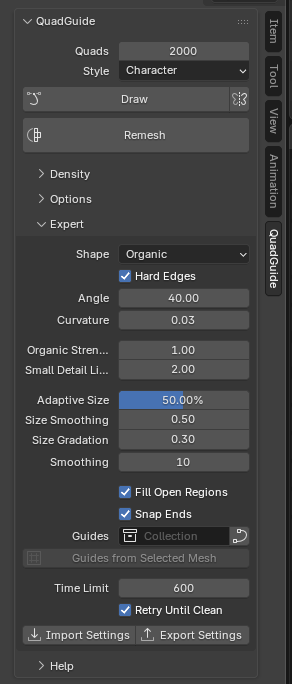
The Expert section
Expert: the settings behind the styles
The Notes section
Notes: what the engine changed

Expert, Review and Developer show only when turned on in the add-on's preferences.