Expert Settings
Panel: Sidebar ‣ QuadGuide ‣ Expert
The settings behind the styles. Turn on Expert Settings in the add-on's preferences to see them. Defaults and ranges are in All settings.
- Shape
- Standard for an even flow; Organic for denser quads on detail, as in hand-made topology.
- Hard Edges / Angle
- The flow follows edges sharper than Angle.
- Curvature
- How strongly the flow follows the bends of the surface.
- Organic Strength, Small Detail Limit
- Organic only: how much the flow adapts to size changes, and how small a detail may be before it is ignored.
- Adaptive Size
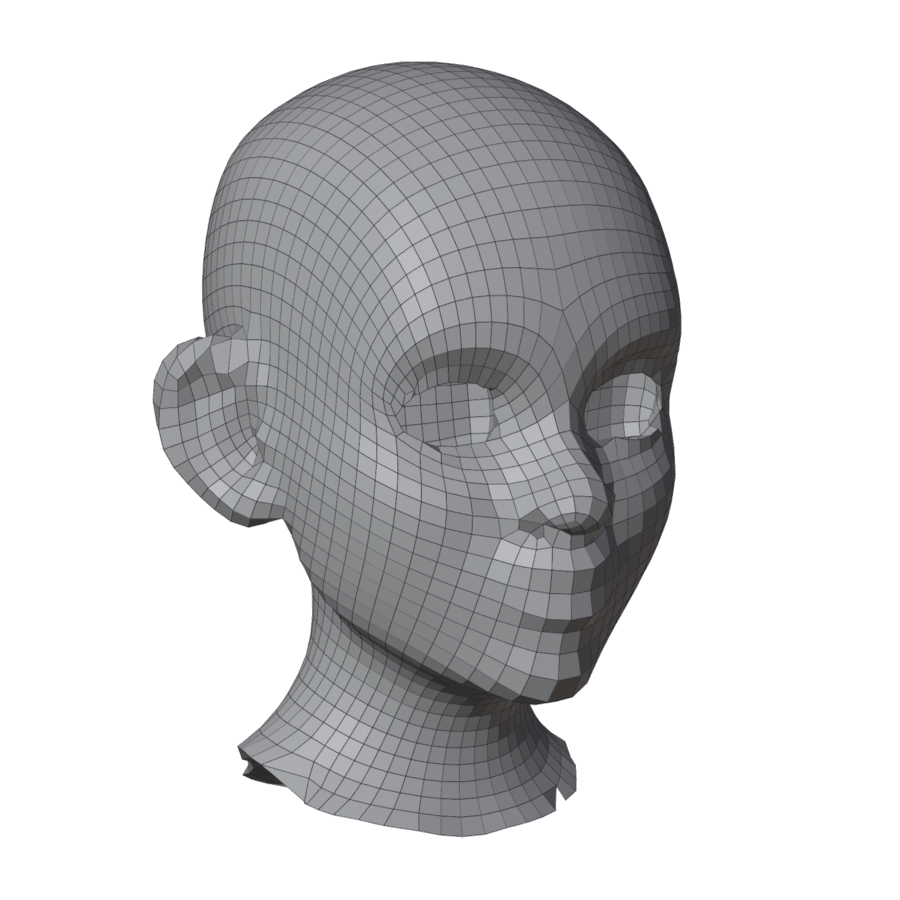
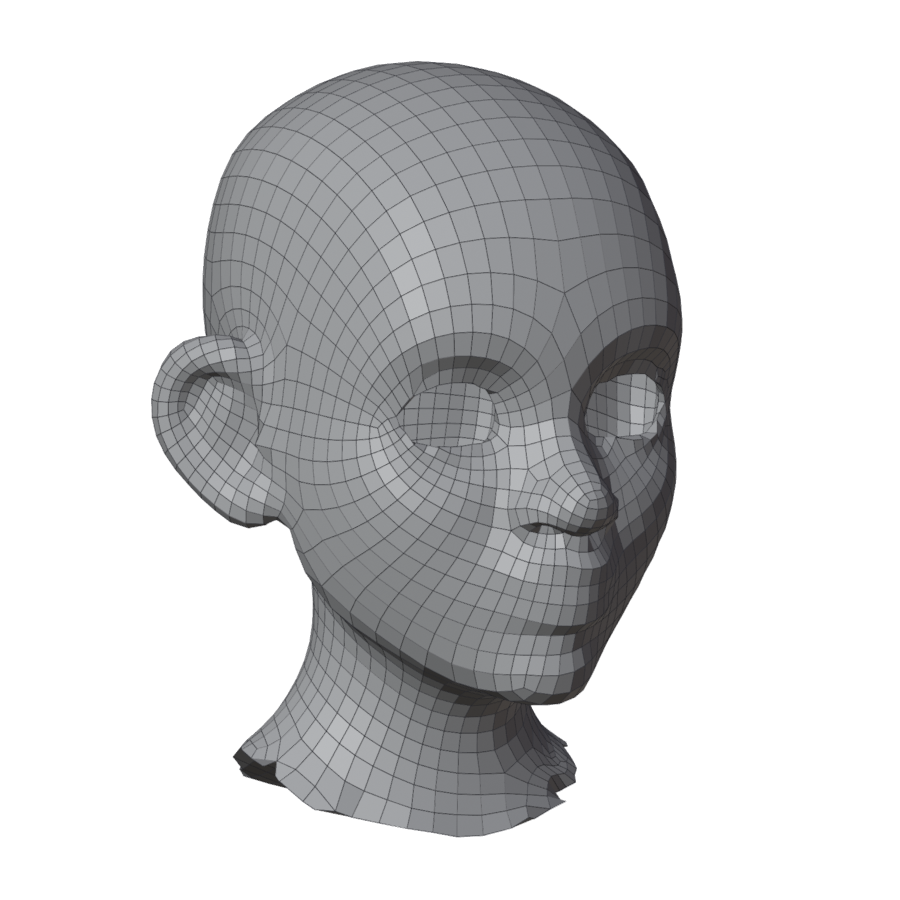
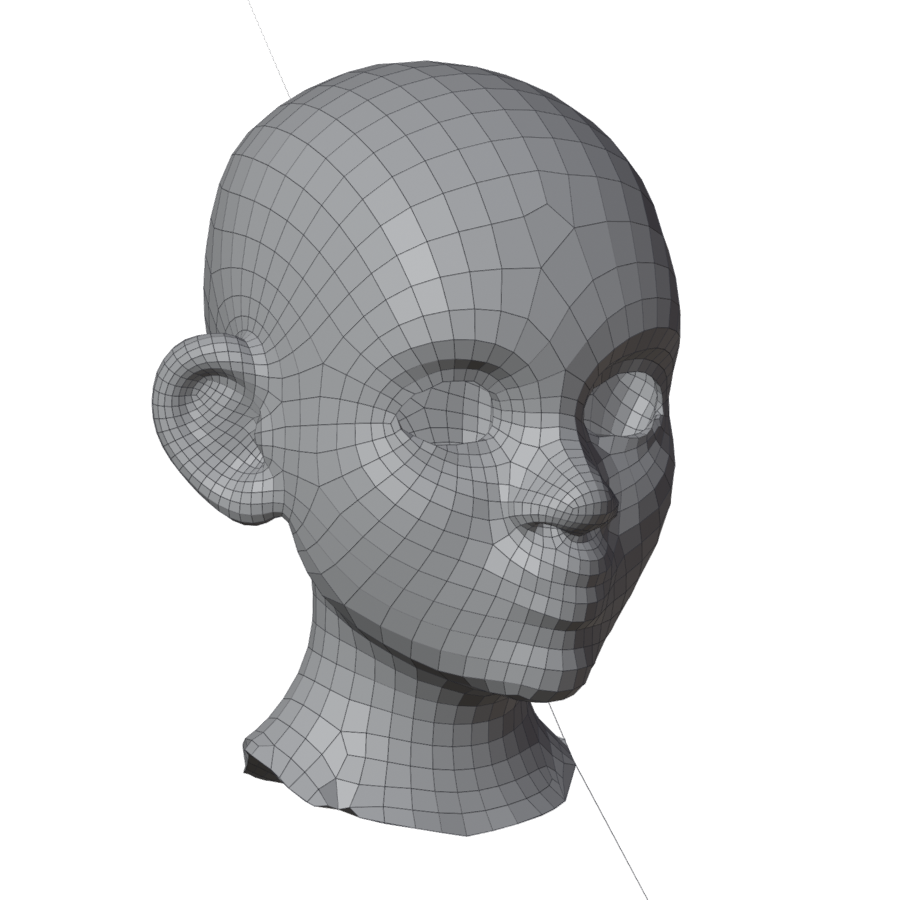
- How much quads shrink where the surface curves. 0 makes all quads the same size.
- Size Smoothing, Size Gradation
- How gently quad sizes change.
- Smoothing
- Relaxation passes over the result.
- Fill Open Regions
- With Fill with Patches, a region far too big for its outline is remeshed freely instead.
- Snap Ends
- Line ends that stop just short of a guide are snapped onto it.
- Guides
- A collection for curve objects of your own to use as guides.
- Guides from Selected Mesh
- See Guides from a mesh.
- Time Limit
- Seconds after which a remesh stops. 0 sets no limit.
- Retry Until Clean
- When a result fails the check, the engine tries close variants by itself.
- Import Settings / Export Settings
- Save or load the settings as a
.jsonfile.
| Adaptive Size 0 | 50 | 100 |
|---|---|---|
 |
 |
 |