Your First Guided Remesh
Draw loops on a head, and each one comes out as an edge loop.
Steps
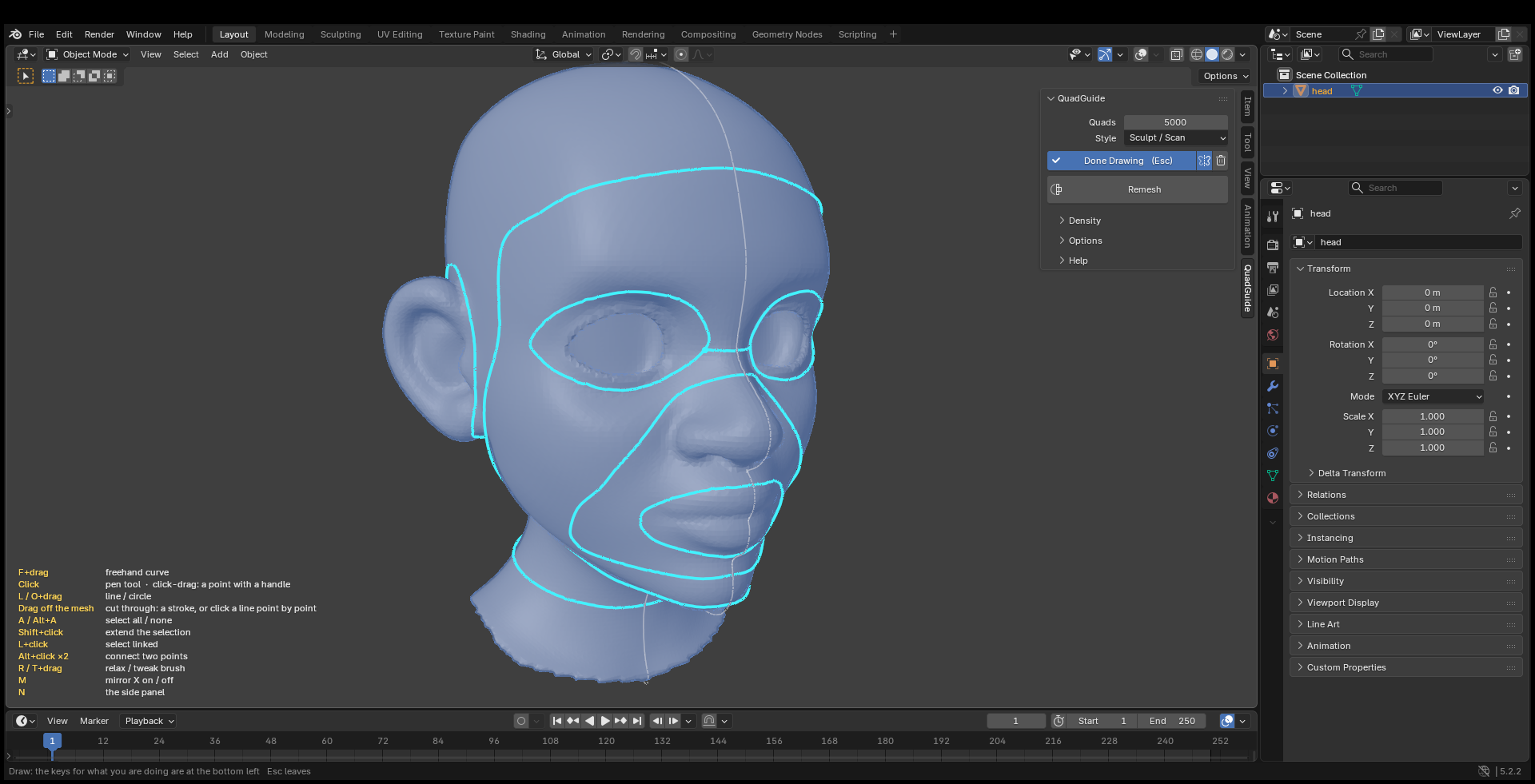
- Select the head, turn on Mirror X (the icon next to Draw) and press Draw.
- Eyes: hold O and drag from the middle of one eye outward.
- Mouth: hold F and drag a loop around the lips.
- Face: hold F and drag along the hairline, past the ears and under the jaw.
- Neck: drag from off the mesh across the neck. This cuts a ring all the way around.
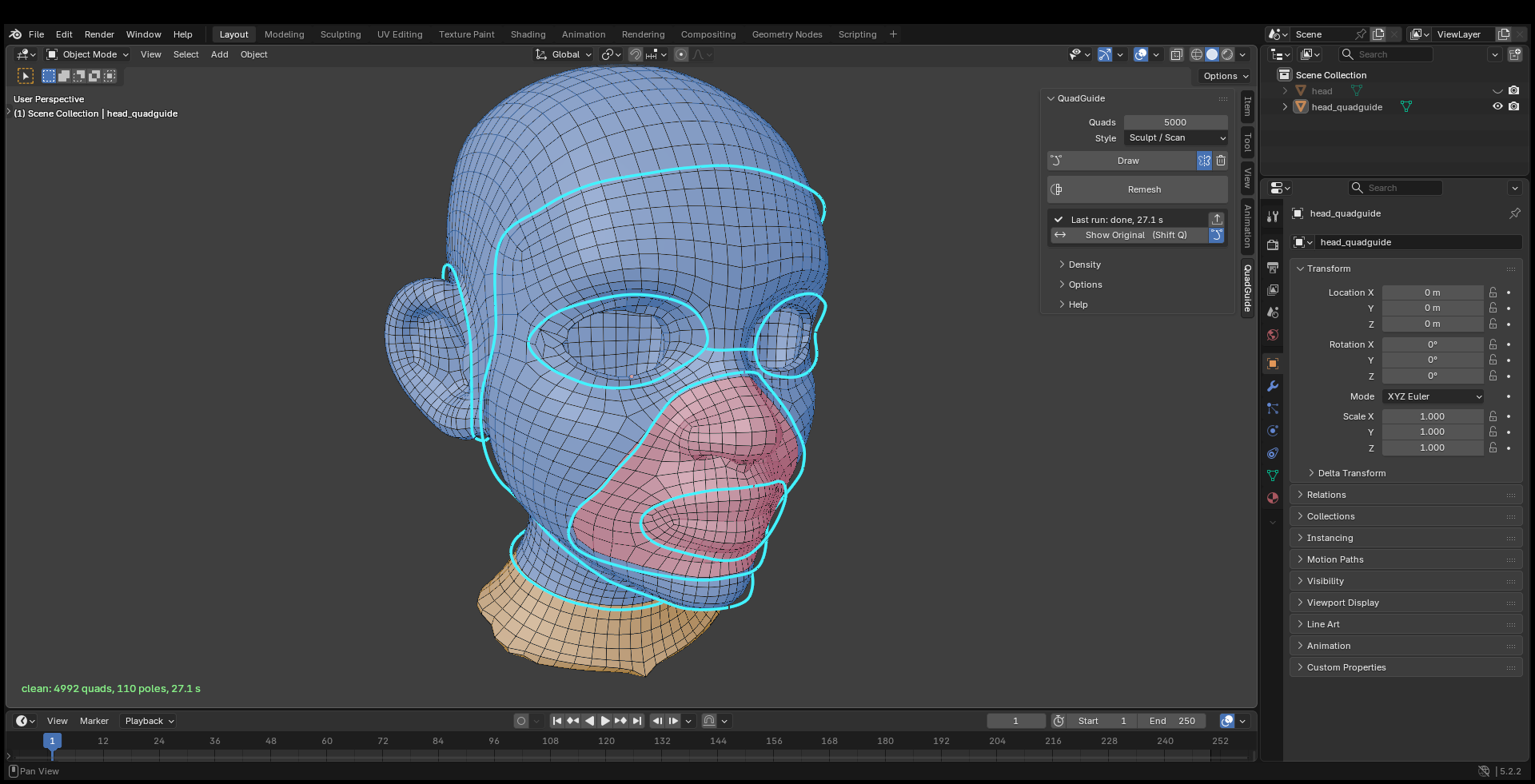
- Press Esc, set Quads to 5000 and press Remesh.
To change a guide, drag its points, or delete it with X and click, and remesh.