Options
Panel: Sidebar ‣ QuadGuide ‣ Options
- Close Holes
- Closes the openings of the mesh in the result. For scans with gaps.
- Keep Attributes
- Carries vertex groups, UV maps and colors onto the result.
Guides
- Fill with Patches
- Fills each region between the guides as its own patch. See Patches.
- Lines, Regions
- Show the guides, and (with Fill with Patches on) the tinted regions while drawing.
- Bands
- Colors the result by the regions the guides cut it into.
Result
- Verdict
- The one-line verdict at the bottom left of the viewport.
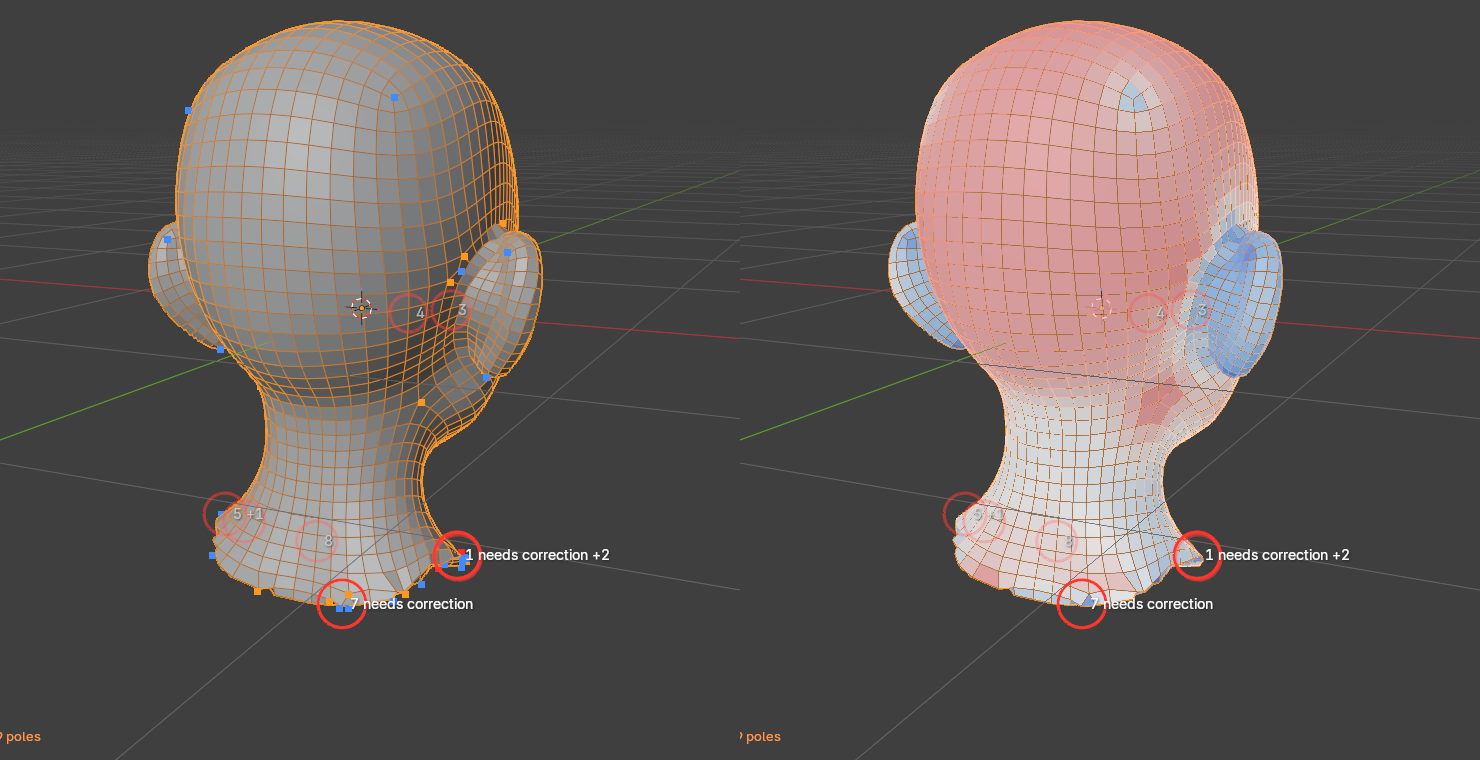
- Poles
- A dot at each pole: blue for 3 edges, orange for 5, red for 6 or more.
- Density
- Colors each quad by size: white as asked, blue smaller, red larger.
- Advice
- Marks where the engine changed the drawing.