Recipes
Short answers to the usual retopology problems: what goes wrong, what to mark, what you get.
A hard edge that must stay sharp under subdivision
A plain remesh puts quads of the usual size up to the edge, so a Subdivision Surface rounds it off. In Edit Mode, Select > Select Sharp Edges, then Guide from Edges. In Object Mode select those guides and use Holding Loops from the guide menu: each hard edge gets a support loop on the faces either side of it. Remesh: thin rows hold the edge, and it stays sharp when subdivided. Distance in the redo panel: smaller is sharper.
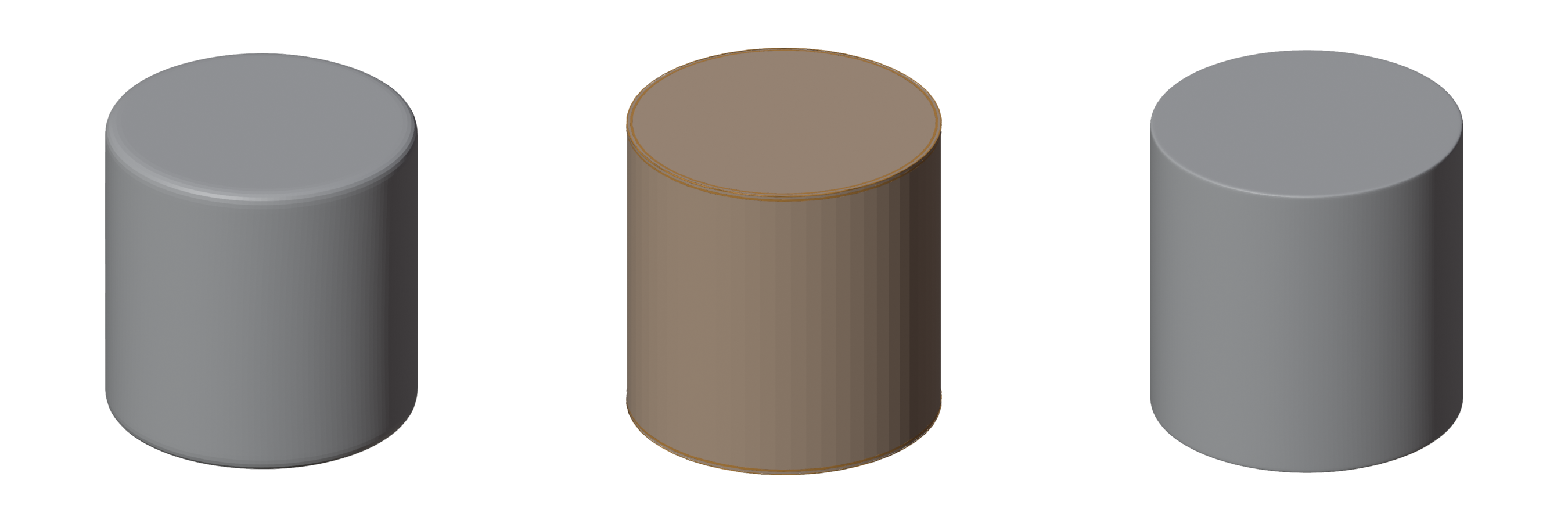
Left: plain remesh, subdivided. Middle: the hard-edge guides (blue) and their holding loops (orange). Right: the remesh with them, subdivided: the rims stay sharp.
Without extra loops: select the edges and press Hard Edge instead. The result's edges along them come marked sharp and creased, which a Subdivision Surface keeps sharp.
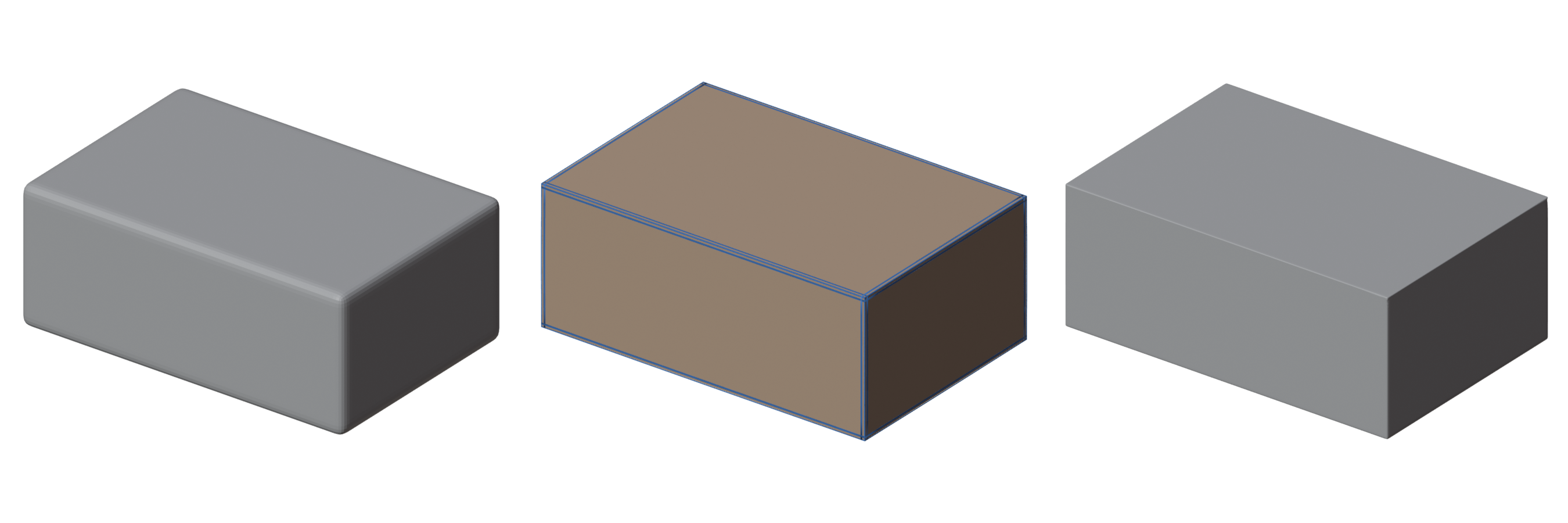
An open end to close: a fingertip, a tube
On your retopo, select one edge of the hole and Fill Hole.
Fewer edges on one side: palm to fingers, torso to limb
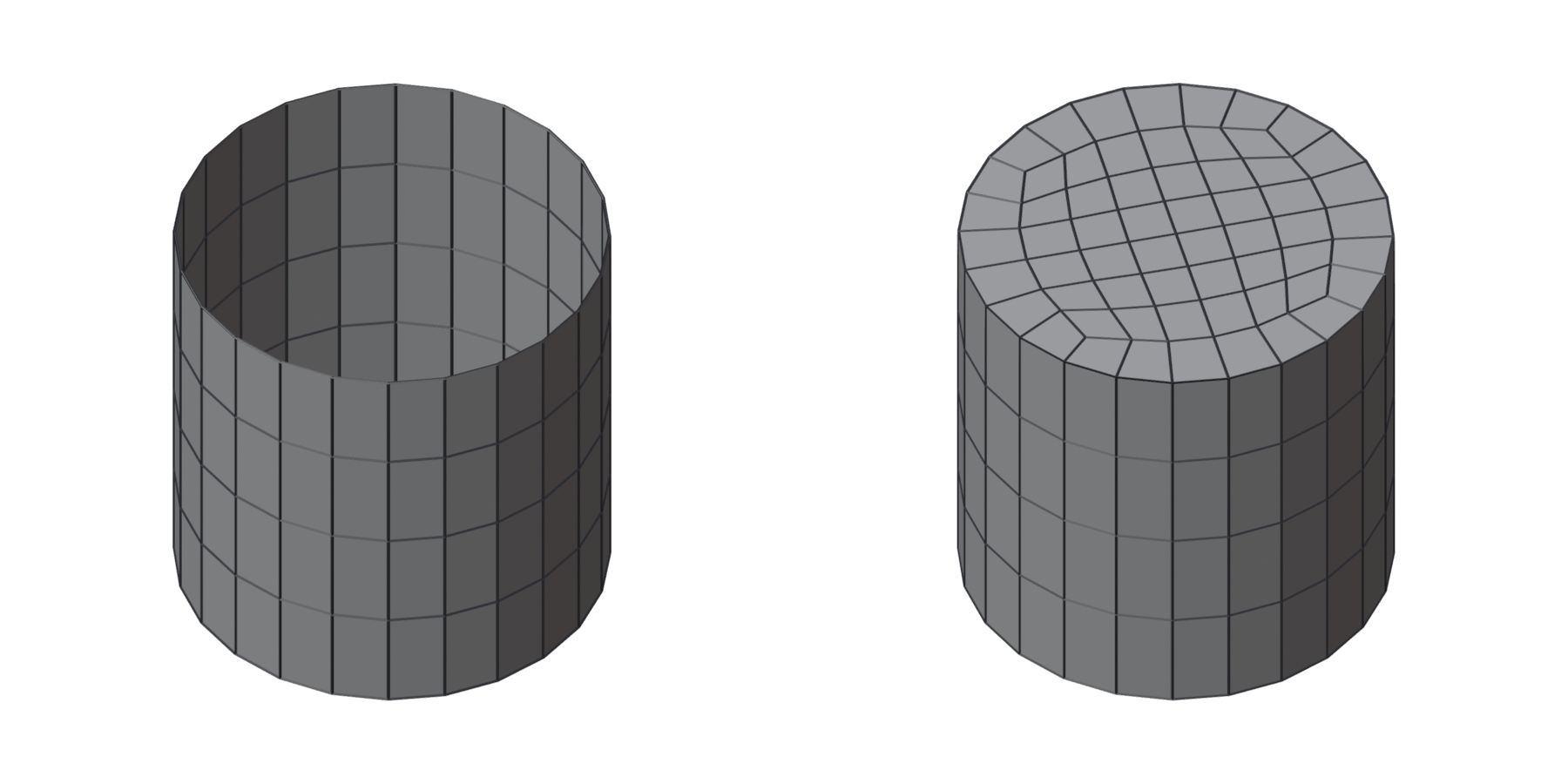
Bridge Loops joins two loops with different counts in steps. With Steps at the 3D Cursor the steps gather where you put the cursor, so the poles sit between the fingers or under the arm.
Left: the two loops, 24 and 16 edges. Middle: bridged, the steps spread round the band. Right: Steps at the 3D Cursor, the steps gathered by the cursor.
Two loops that must match: a wrist and a cuff, a neck and a collar
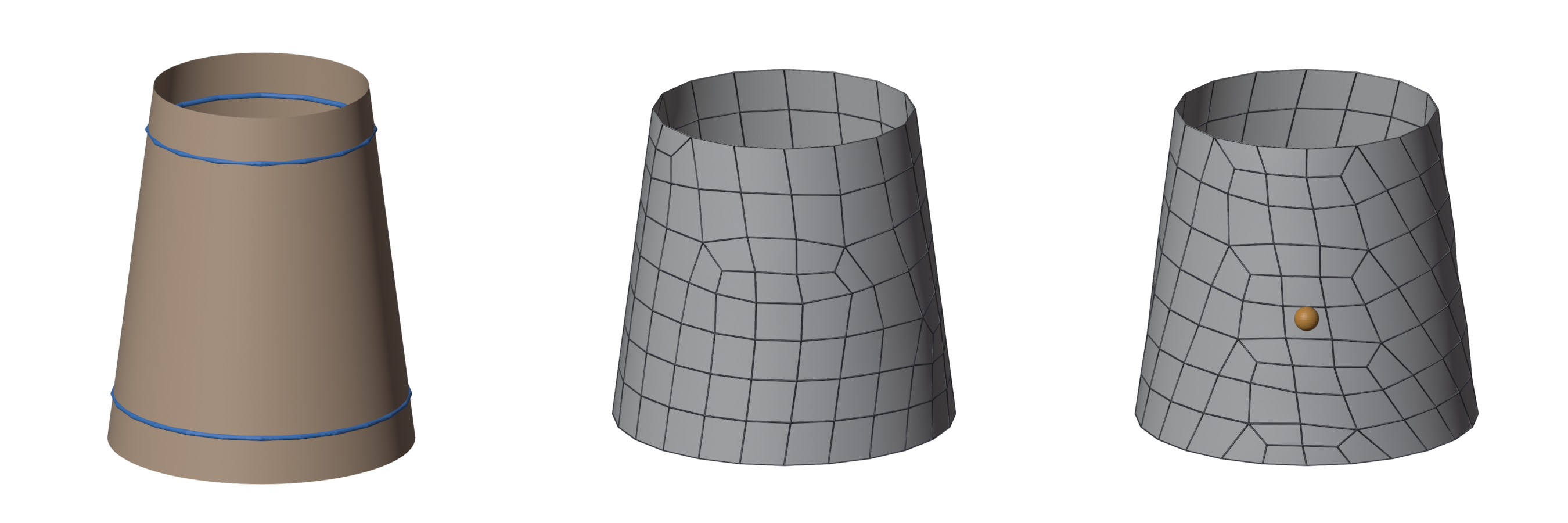
Select the guide and Set Edge Count from the guide menu: it becomes a loop with exactly that many edges, and the remesh keeps the count. Give both the same count. A count far from what the quad size gives there may be impossible; the engine then says so and suggests a close one.
A joint that bends: elbow, knee, knuckle
Draw a ring round the joint (the Contour tool, square to the limb), select it and use Joint Loops: three loops of one count, a quad apart, vertex by vertex in line, so the rows run straight across the joint. Spacing in the redo panel.
An eye, a mouth, a nostril
Draw a loop round the opening (on the lids, not in the socket) and use Face Rings: one to six concentric loops outside it, one count, so the rows run straight out from the opening.
One area came out wrong
In Edit Mode select its faces and Remesh Selected Faces. The rest stays exactly as it is.
A symmetric character
Turn on Symmetry next to Remesh: one half is remeshed and mirrored. With Mirror X on while drawing, the guides stay symmetric too.
Bands before and after
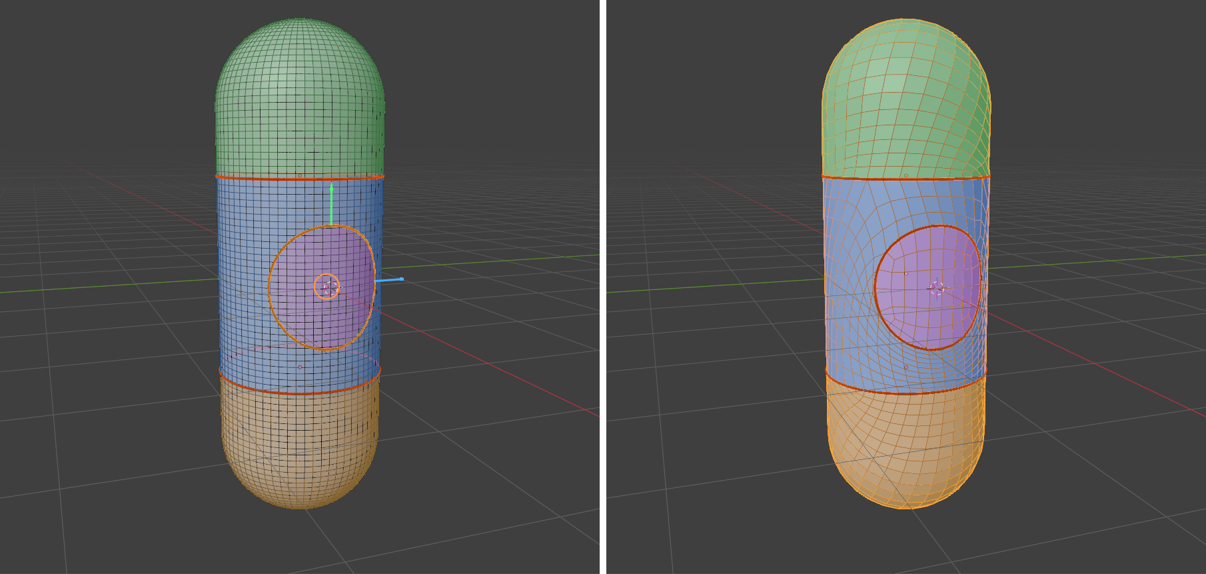
Show: Bands tints the bands your guides cut the mesh into, before the remesh on the mesh and after it on the result, each band in the same colour, so you can see which rows went where.