Your first remesh
One minute, on the sample head.
- Open the QuadGuide tab in the sidebar (N). With nothing selected the panel offers Add Sample Head: press it. Or select your own mesh in Object Mode.
- Pick a Style:
- Character: organic flow that follows the form, hard edges kept. The best start for most models.
- Sculpt / Scan: the same for noisy or dense surfaces; only clear creases count as hard edges.
- Hard Surface: CAD-like parts, sharp edges and flat panels.
- Set Quads: about how many quads you want.
- Press Remesh. A progress bar runs; Cancel (or Esc) stops it at once.
The result, <name>_quadmesh, appears in the original's place. The original is only
hidden: Show Original (Shift+Q) switches between the two.
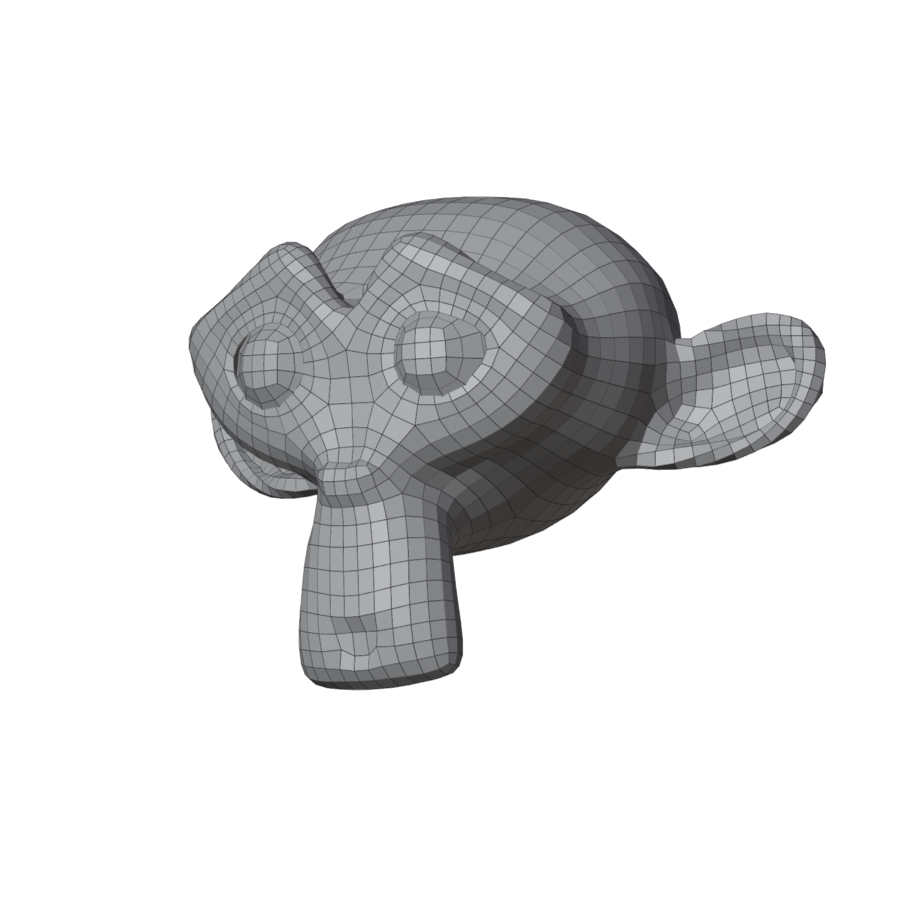
Bottom left of the viewport, the verdict says how it came out: clean: with the number of
quads, poles and seconds, or what needs fixing. The panel's result card says the same, with what to
do next: see The result.
Next
- Not the flow you want round the eyes? Your first guided remesh: draw a loop there and Remesh again.
- Quads too big on the face, too small on the back? Paint density.
- One area wrong? Select its faces in Edit Mode and use Remesh Selected Faces.