QuadGuide
Clean, artist-like quad meshes in Blender, in one click, with guides when you want a say in the flow.
Select a sculpt, a scan or a messy model, press Remesh, and QuadGuide gives you an all-quad mesh whose edge loops follow the form: round the eyes and mouth, along the limbs, along hard edges. Every result is checked before you see it. When you know where the loops must go, draw them on the surface and the remesh follows your lines.
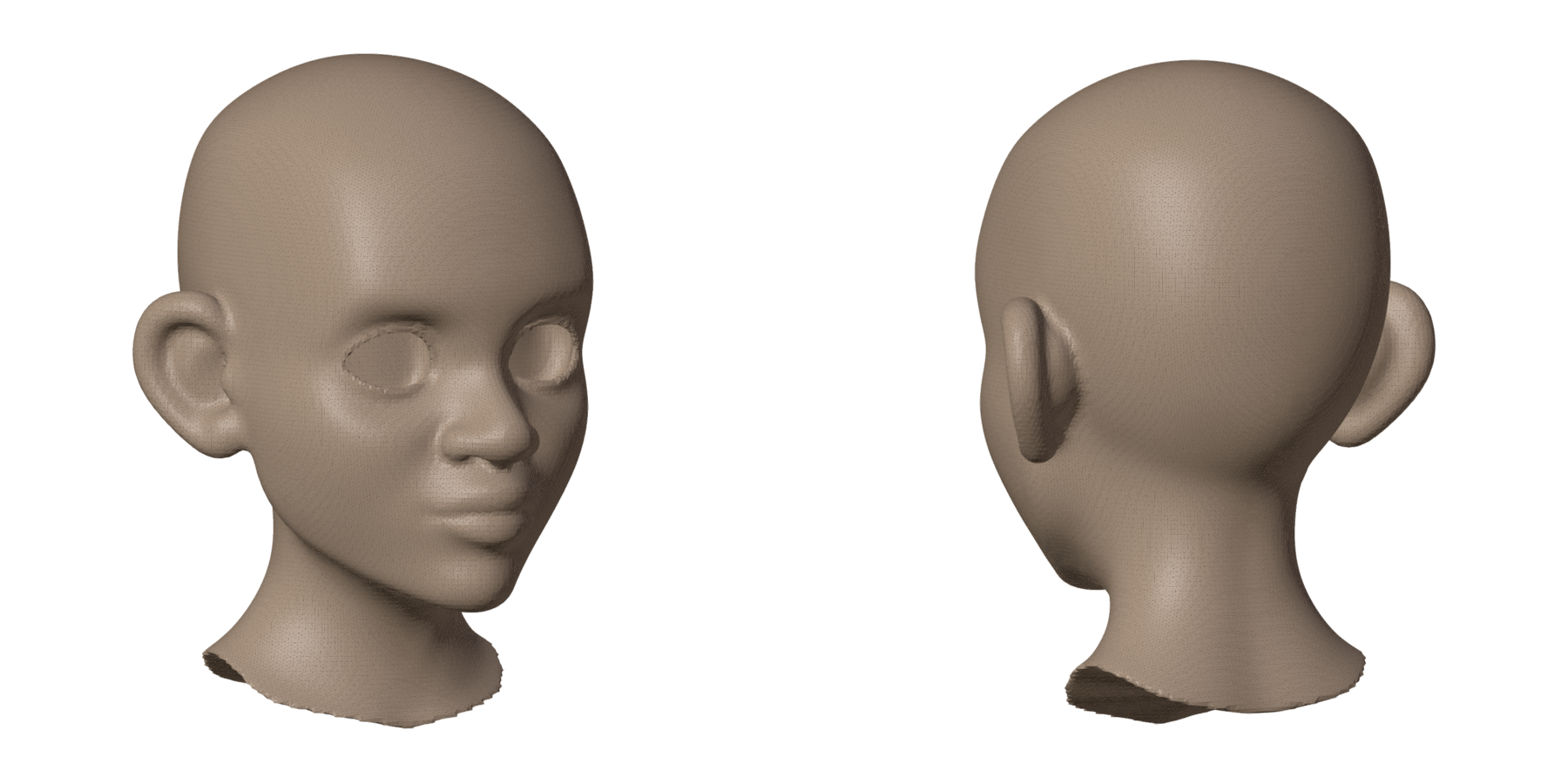
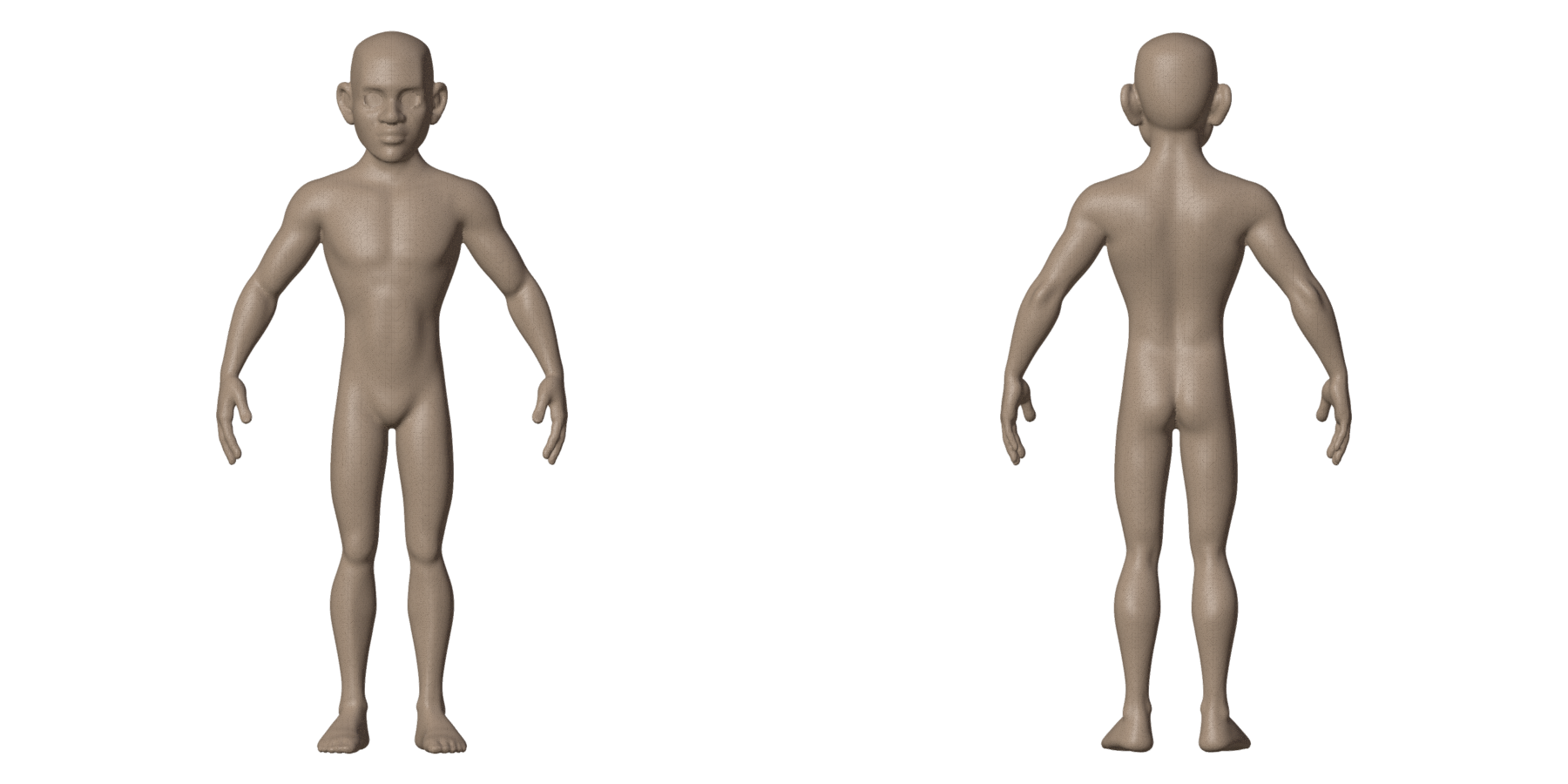
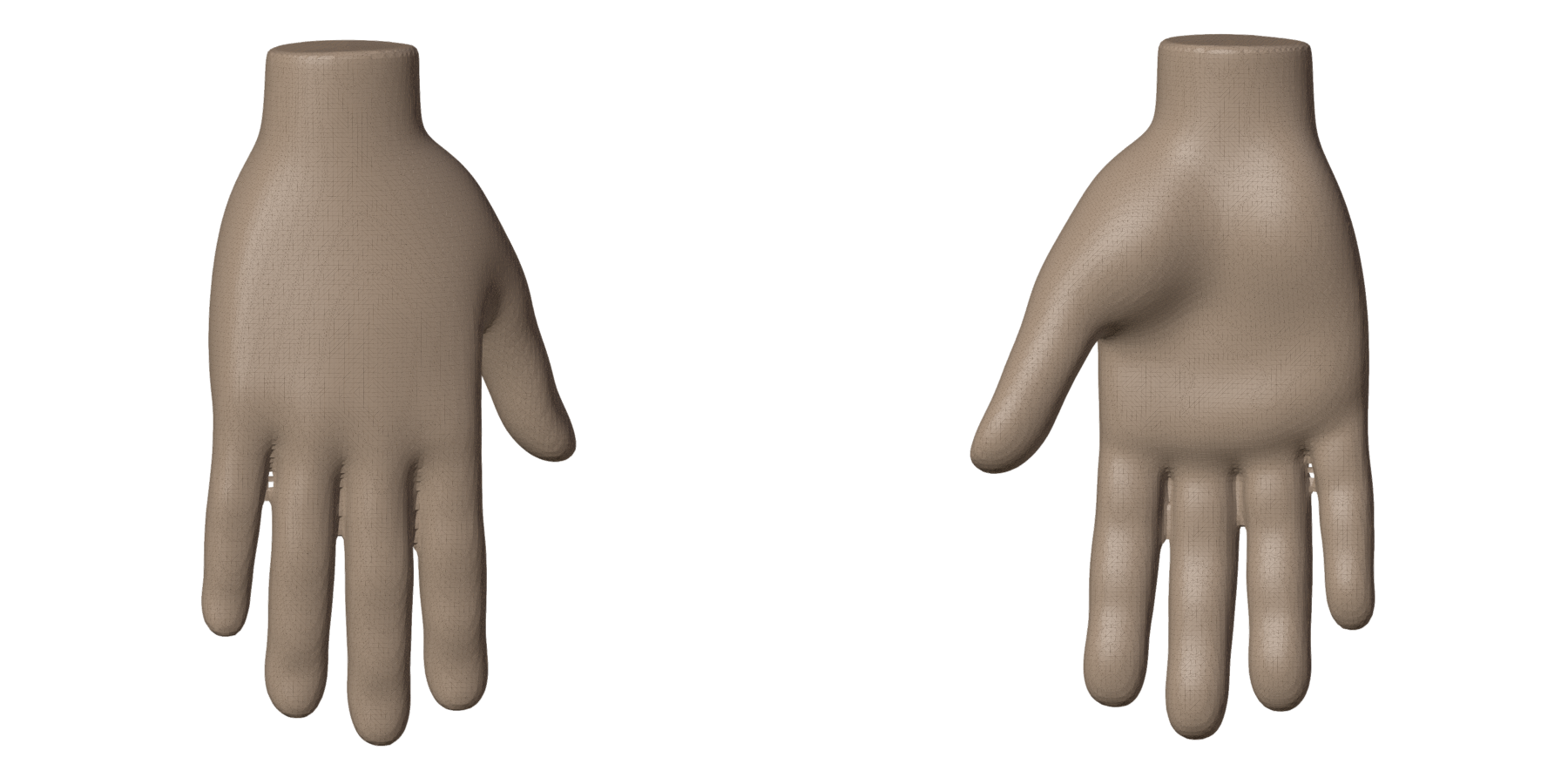
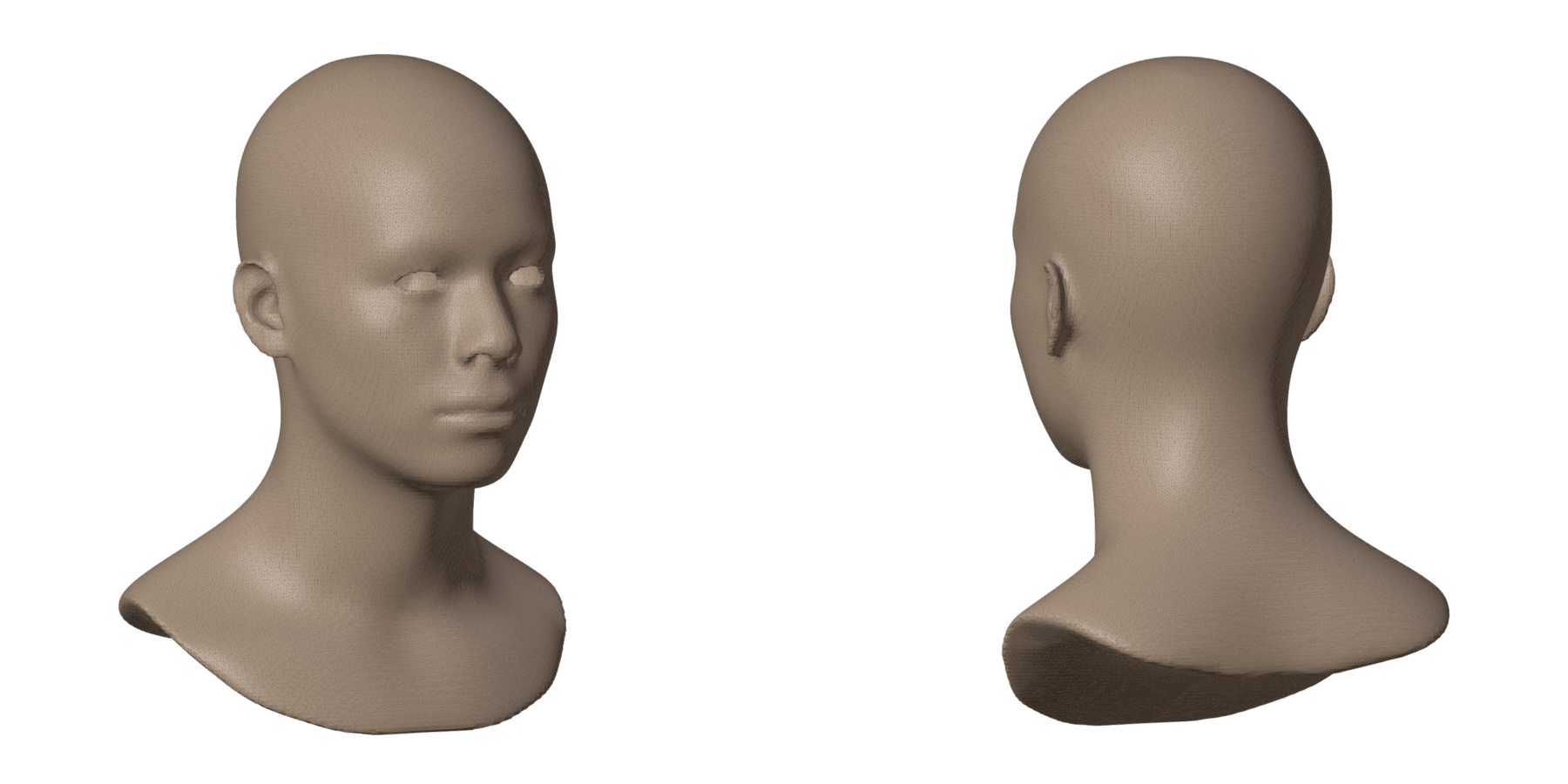
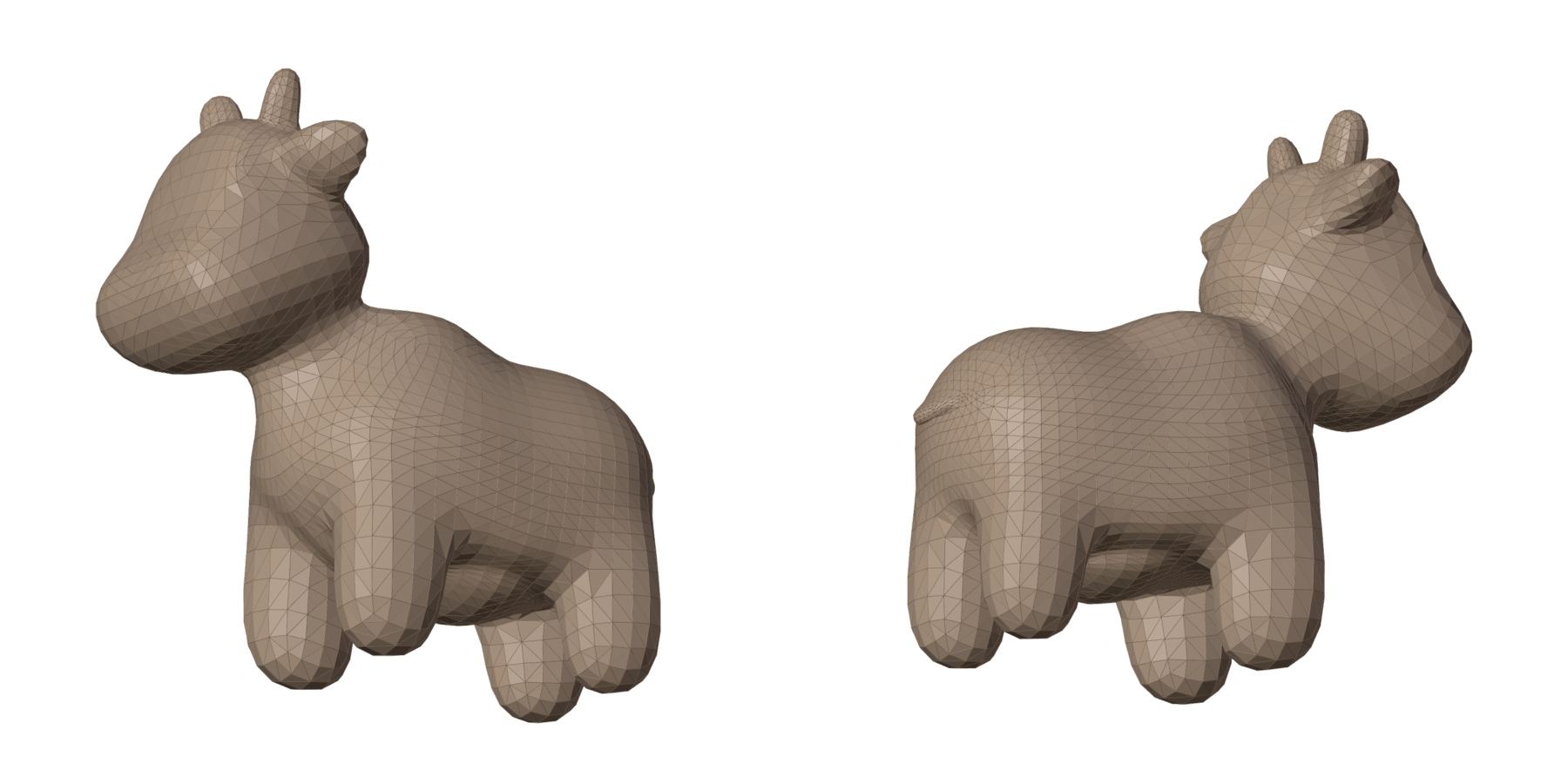
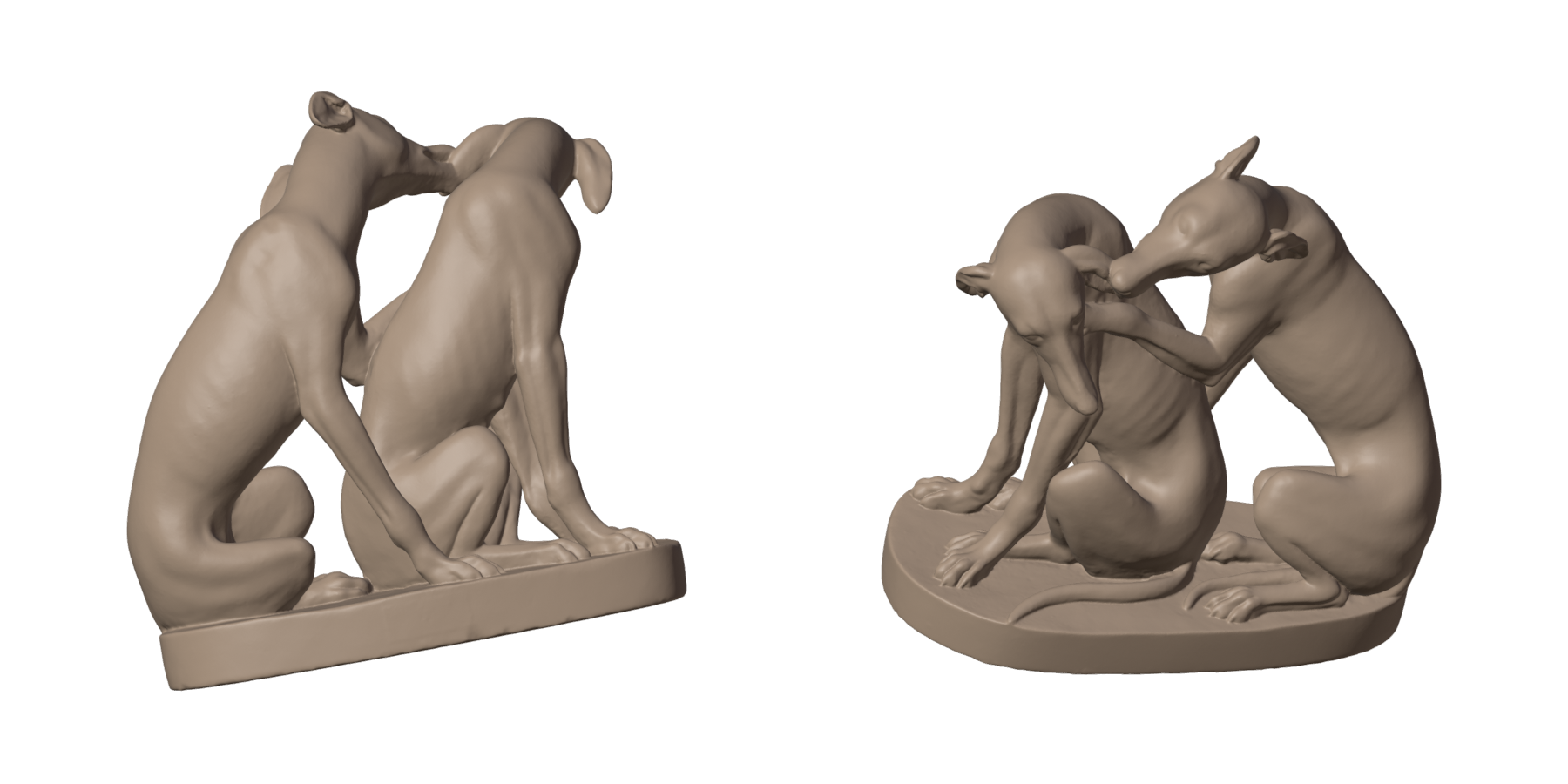
Each pair: the original (clay) and one press of Remesh (grey), no guides, from the front and the back.
| Before | After |
|---|---|
 |
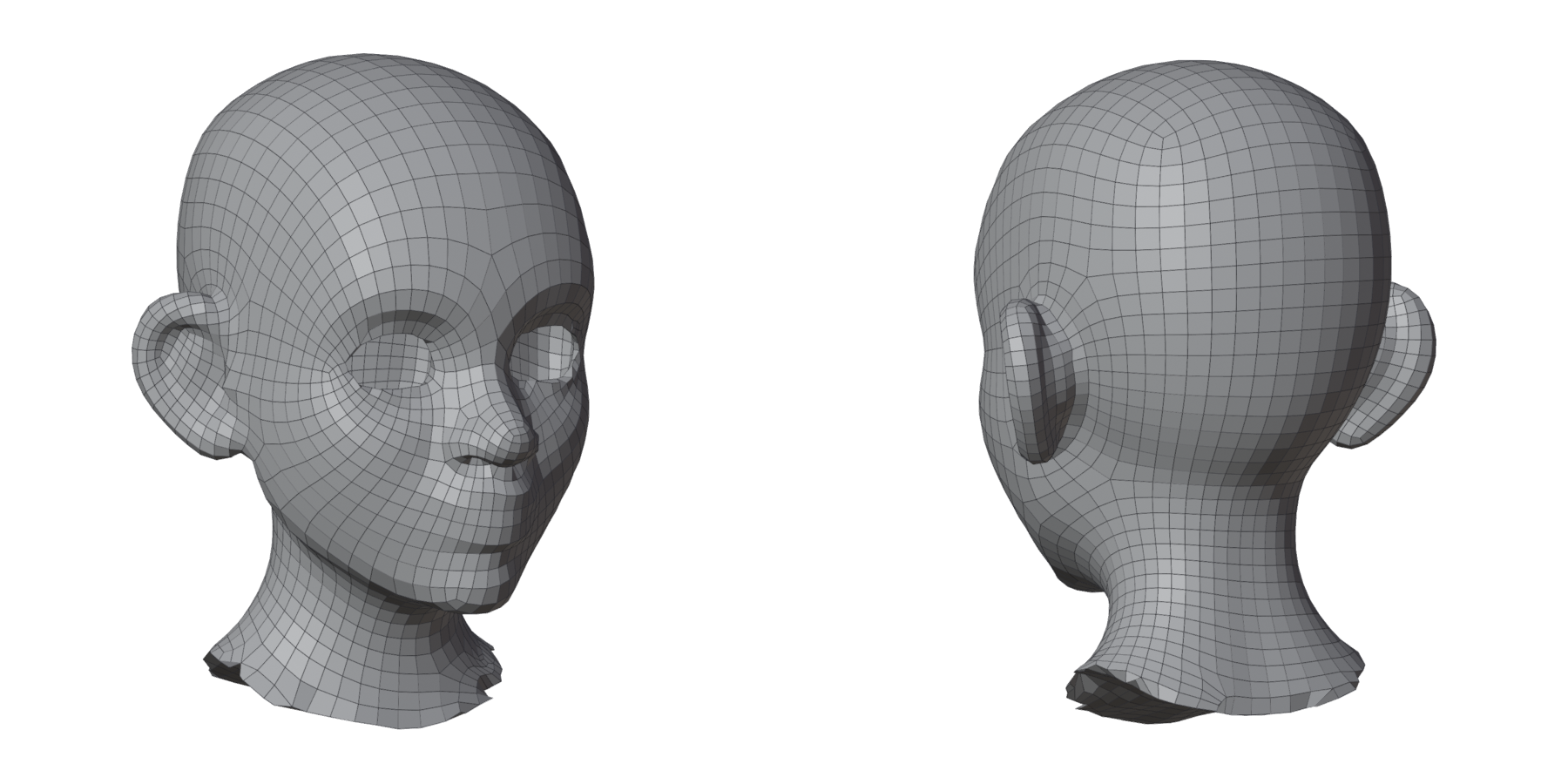 |
| Stylized head | Character, 3000 asked, 3068 quads; a few quads to touch up |
 |
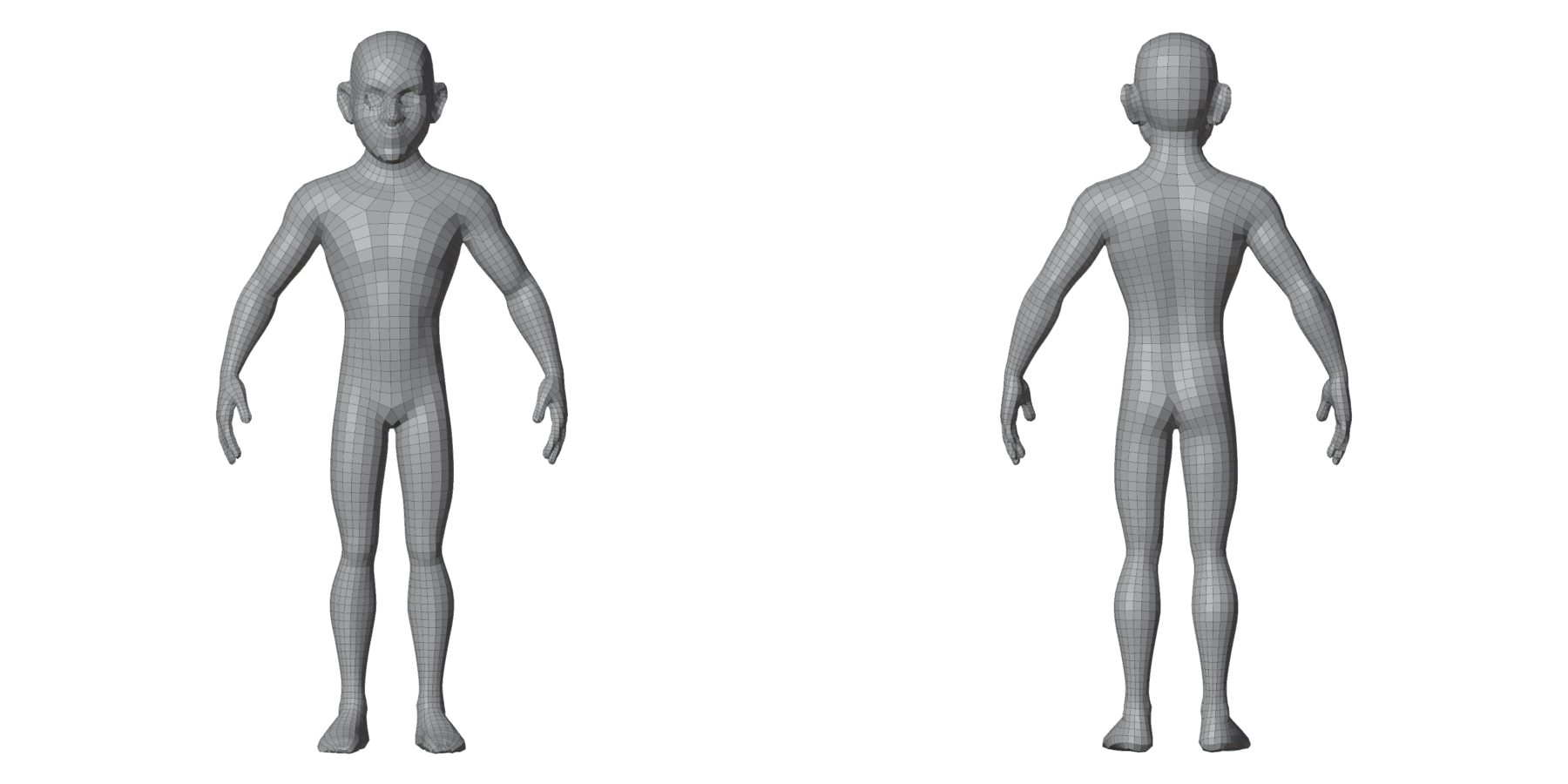 |
| Stylized body | Character, 5000 asked, 5229 quads; a few quads to touch up |
 |
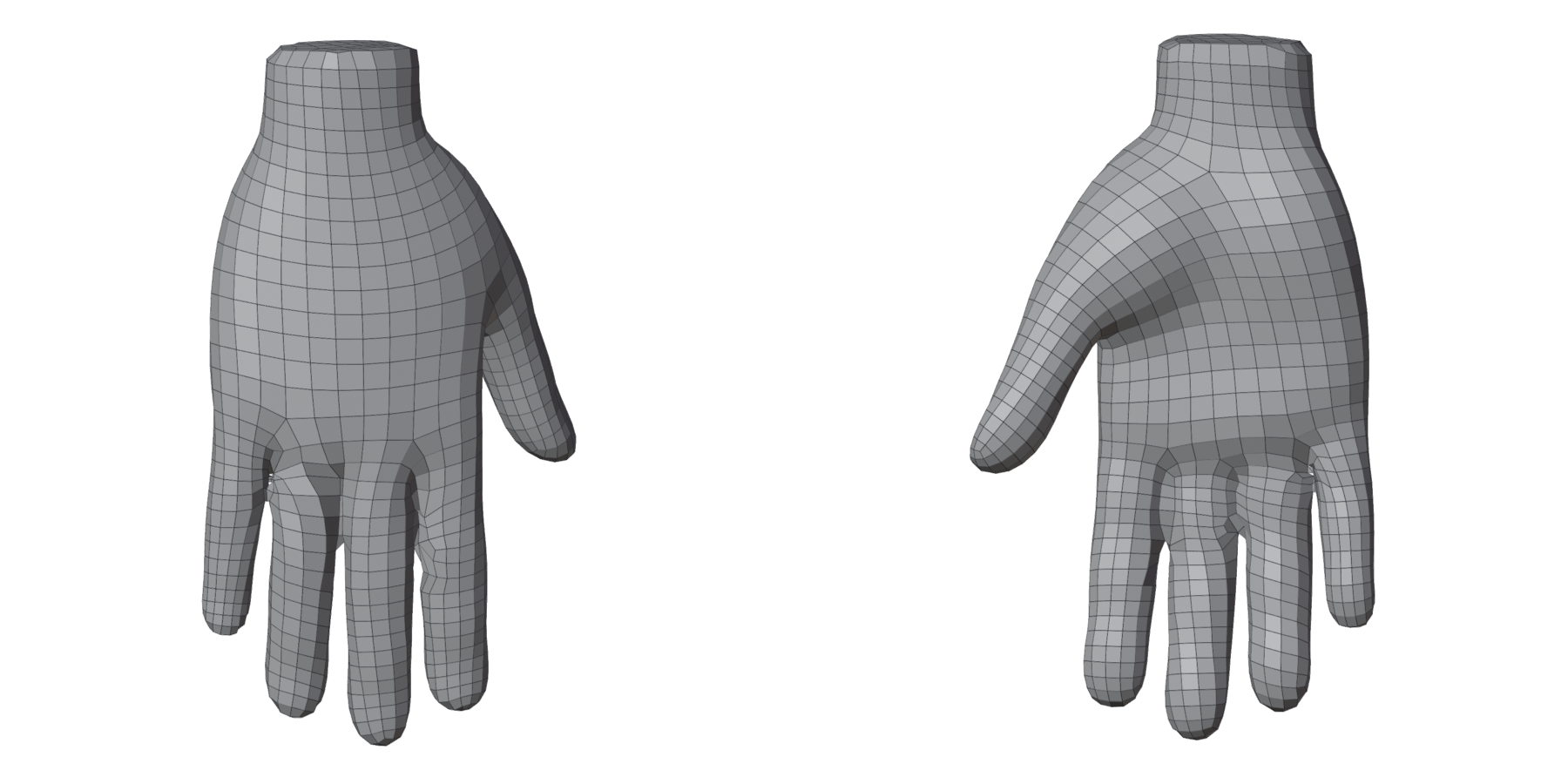 |
| Stylized hand | Character, 1500 asked, 1554 quads; a few quads to touch up |
 |
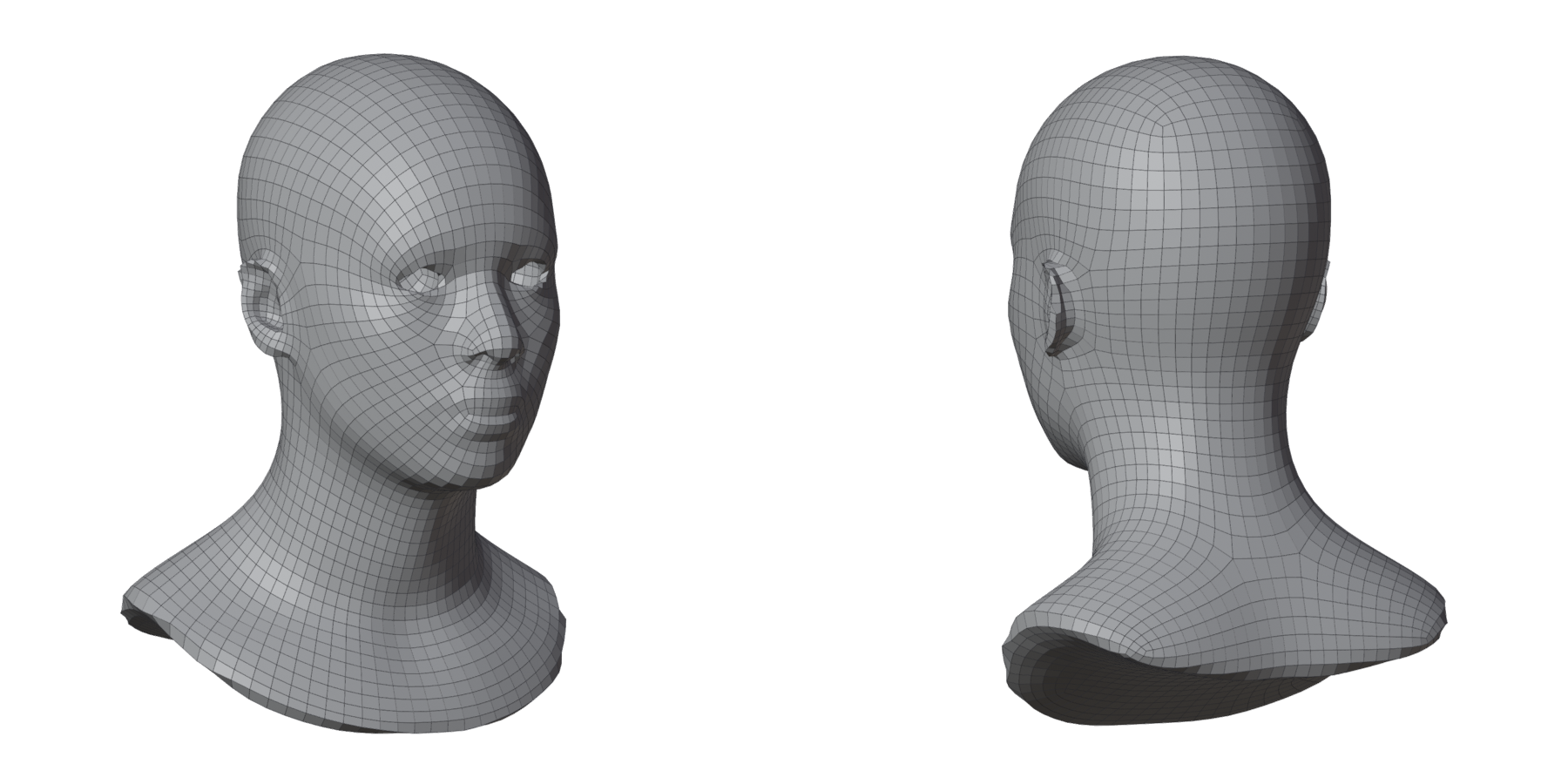 |
| Realistic head | Sculpt / Scan, 4000 asked, 4006 quads; clean |
 |
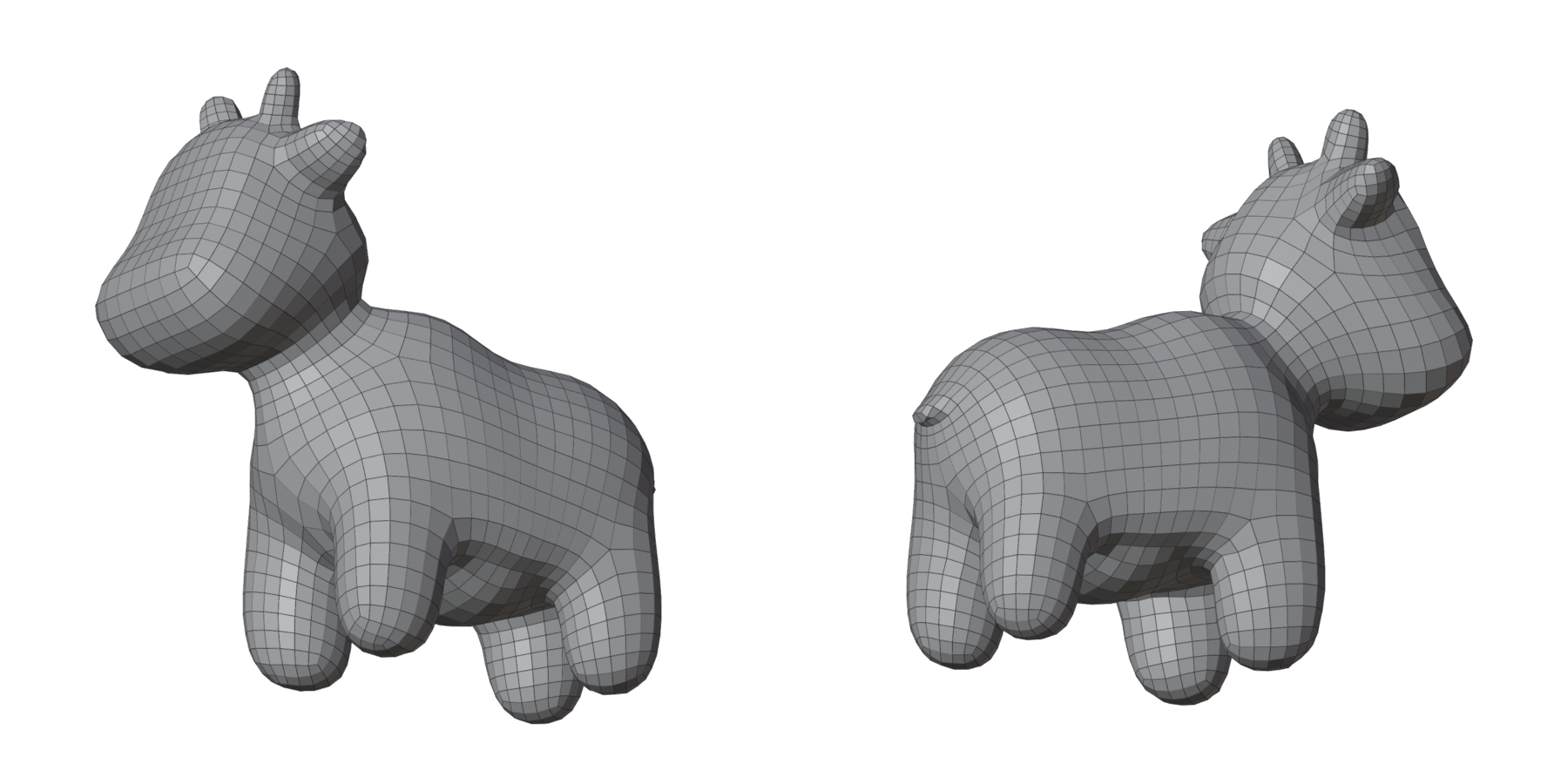 |
| Spot | Character, 2000 asked, 2018 quads; clean |
 |
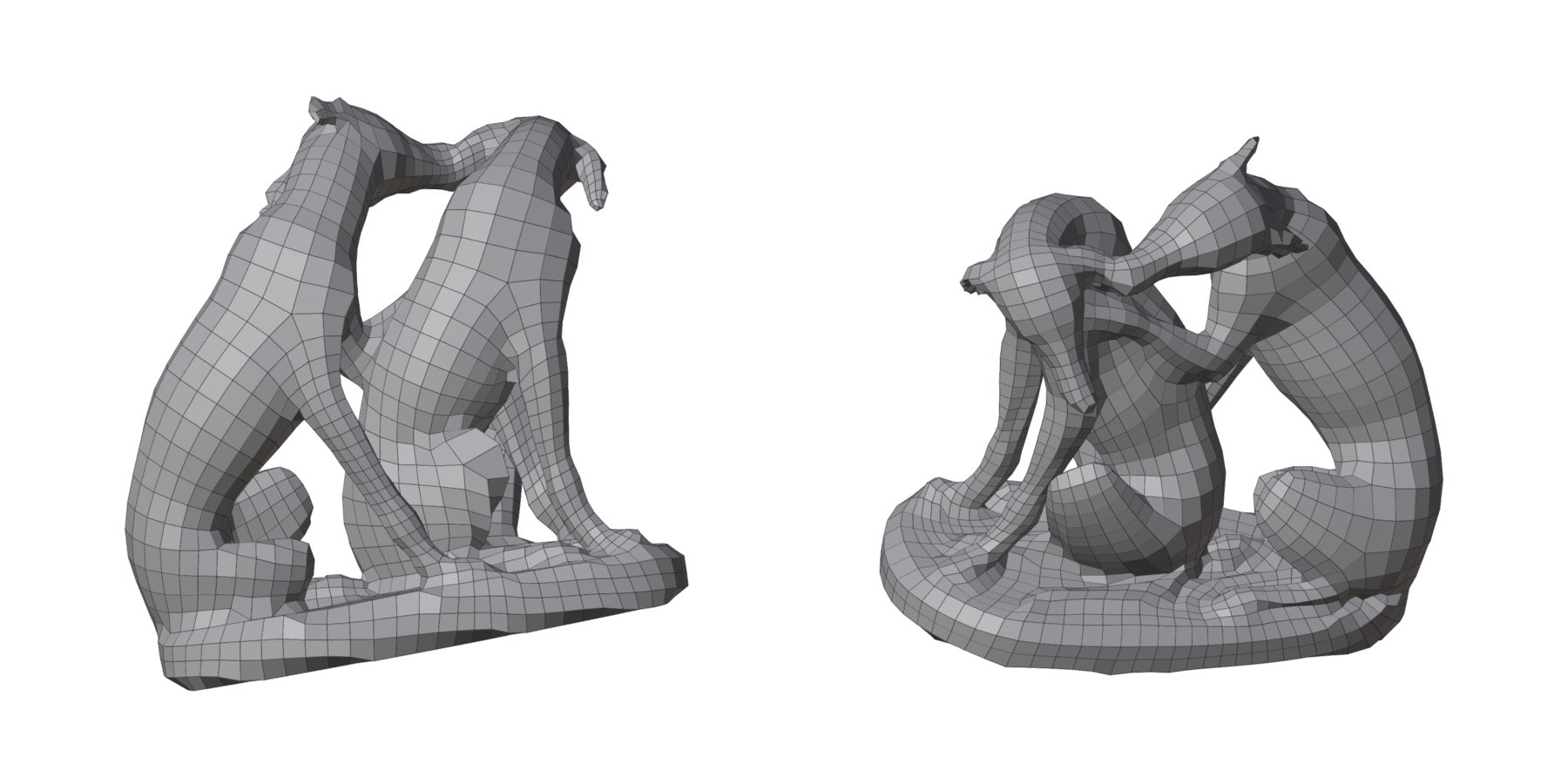 |
| Hundepaar, a scan of 1.6 million faces | Sculpt / Scan, 3000 asked, 3014 quads in 51 s; a few quads to touch up |
"A few quads to touch up": a handful of pinched quads at an ear rim or a fingertip, which the card selects for you to relax.
The models are Blender Studio's Human Base Meshes, Keenan Crane's Spot and the Tiroler Landesmuseum's Hundepaar, all CC0 (see Credits).
With guides
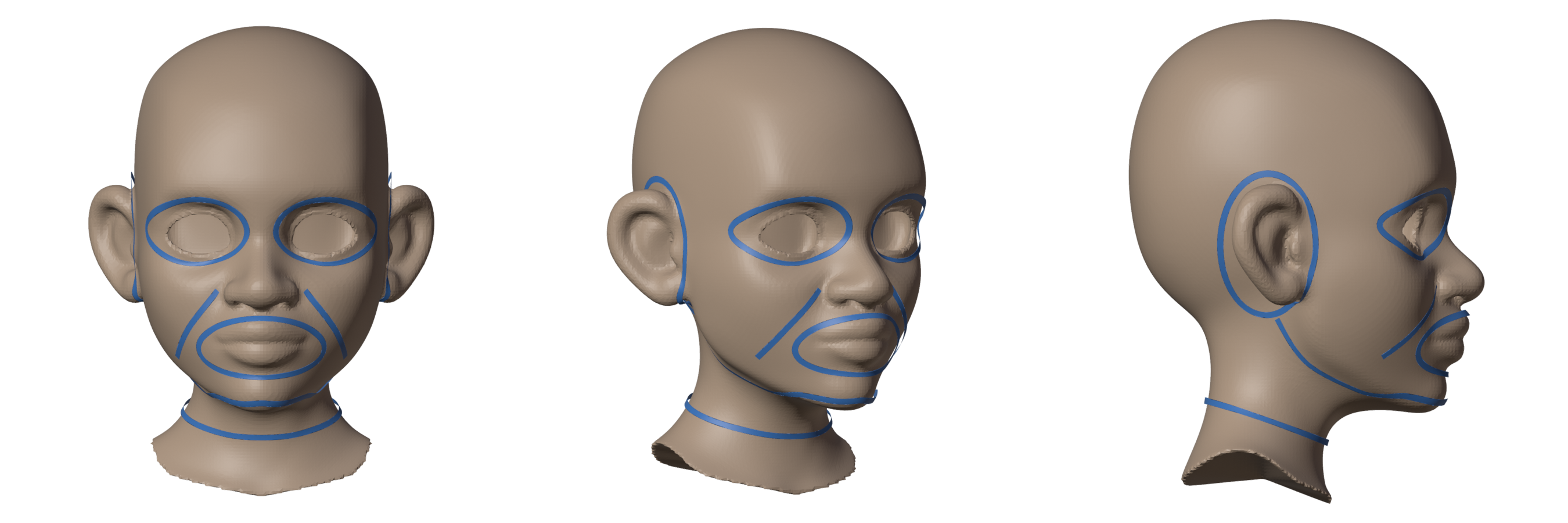
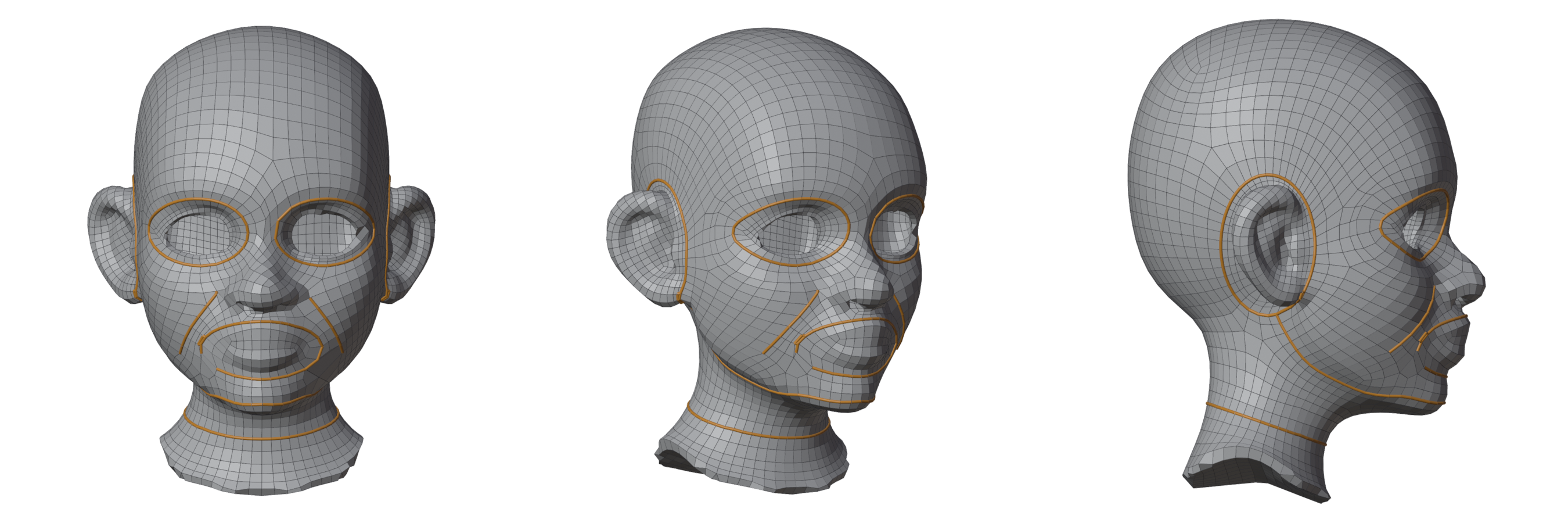
Draw where the loops must go, and the remesh puts them there: loops round the eyes and the mouth, rings round the ears and neck, lines along the cheeks and the jaw. Nine guides, one press of Remesh, 4212 quads, clean. The edges along your guides are drawn orange. Step by step: Your first guided remesh. To draw the patches yourself, and see each one's rows before you remesh: Drawing a patch network.
What it does
- One-click remesh. Pick a Style (Character, Sculpt / Scan, Hard Surface), set about how many Quads you want, press Remesh.
- Checked results. No holes, nothing turned inside out, no pinched quads; when a spot is not right, the result card selects it for you.
- Guides. Draw lines and loops on the mesh: they become edge loops, and the regions between them are filled with quads. Drawn as a patch network, every region shows the patch it makes and a sketch of its rows while you draw, the panel fixes what keeps it from filling, and you set the edges along each line.
- Density. Paint where quads should be smaller or larger.
- Retopo helpers. Edit Mode tools to remesh a selection, fill a hole, bridge two loops, or fill the rest of a partial retopo.
Where to start
- Install the add-on.
- Your first remesh: one minute on the sample head.
- Your first guided remesh: loops round the eyes and mouth.
- The result: reading the verdict, fixing a spot, keeping or discarding.